
USB C KVM Switch 4K@60Hz,Dual Monitor USB C HDMI DP KVM Switch for 2 PC and 1 Laptop Sharing 2 Monitor and 4 USB3.0 Devices, PD Power for Laptop with Wired Remote Control and USB Cables, Grey 14cm
Price may vary by location, shipping cost, and availability.
Price History Information
You can check the price history of USB C KVM Switch 4K@60Hz,Dual Monitor USB C HDMI DP KVM Switch for 2 PC and 1 Laptop Sharing 2 Monitor and 4 USB3.0 Devices, PD Power for Laptop with Wired Remote Control and USB Cables, Grey 14cm here.
Product Information
Details
| Product Name | USB C KVM Switch 4K@60Hz,Dual Monitor USB C HDMI DP KVM Switch for 2 PC and 1 Laptop Sharing 2 Monitor and 4 USB3.0 Devices, PD Power for Laptop with Wired Remote Control and USB Cables, Grey 14cm |
|---|---|
| Store Product Code | B0GT8YYFVK |
| Store Name | amazon.com |
| Brand | AOOCOO |
| Rating | 8.8 / 10 |
| Category | KVM Switches |
Features
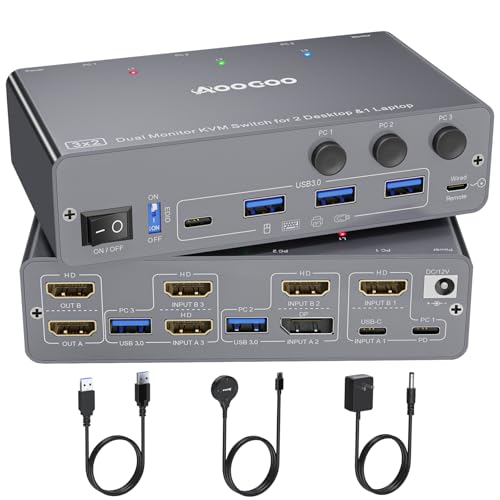
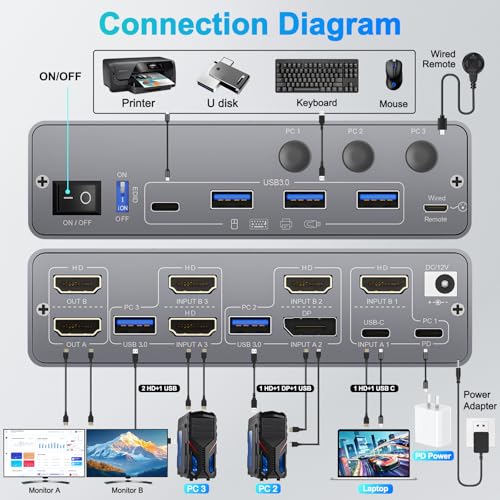
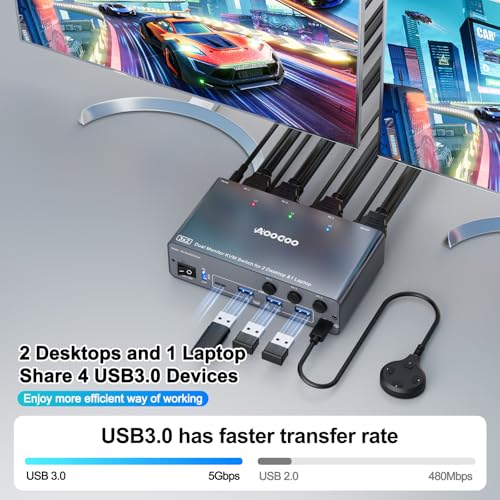
- Dual Monitor KVM, Double ProductivityThe USB C HDMI DP KVM switch connects 3 computers(1 laptop+2 desktops) sharing 2 monitors and 4 USB3.0 devices.PC1(Laptop):need to connect HDMI+USB C to the KVM, PC2:need to connect HDMI+DP+USB3.0 to the KVM,PC3:need to connect HDMI+HDMI+USB3.0 to the KVM.This design can meet the needs of users with computers that have multiple ports, and can reduce the need for signal converters or docking stations. It also reduces the occurrence of compatibility issues.
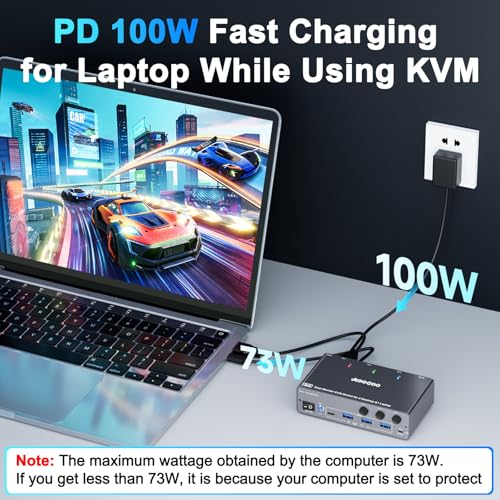
- Support 100W PD Fast ChargingThe USB C HDMI KVM Switch is designed with a PD charging port, which can provide enough power for your laptop during use. Please note: The actual power charged to the laptop is between 73W and 85W, because the KVM itself and the cable will produce some power loss.
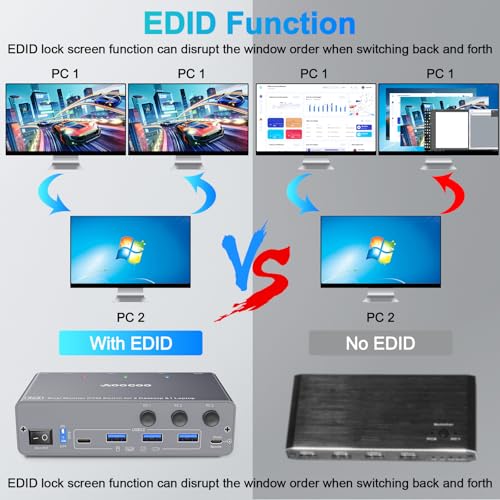
- Support EDID EmulatorUSB C HDMI DP KVM Switch with EDID functionality to ensure you get the best resolution and refresh rate. When switching computers, the original window will not be destroyed.
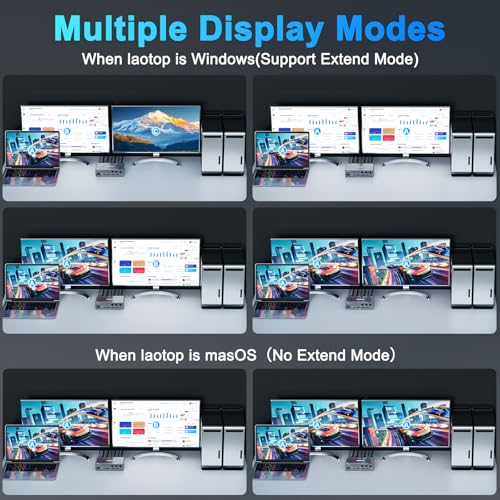
- Extension Mode and Copy ModeNote: Only support mirrored output on macOS. USB-C KVM Switch 2 Monitors supports extension mode and copy mode for Windows laptops and desktops.
- NoteThis KVM does not have USB C MST function. The laptop must be connected to both HDMI and USB C channels to make both displays work properly.
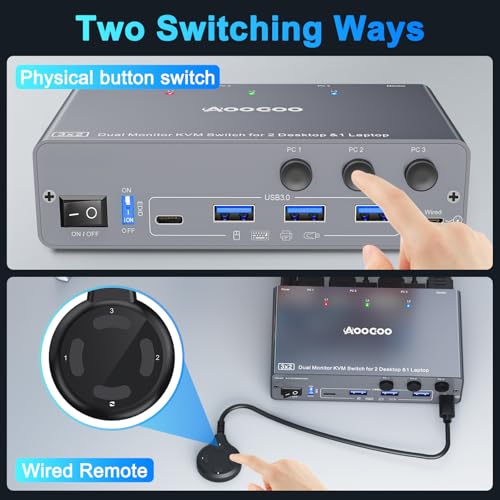
- Easy SwitchingPlug and play, easy installation, no driver required, two switching methods are provided: press the selection button on the KVM to switch; use the desktop extension button to switch, the KVM Switch can be placed under the desktop or outside the workspace to make the desktop more concise. Note: Keyboard shortcuts (hot keys) are not supported for switching
- Packing List USB C HDMI DP KVM Switch, 1 USB C cable for audio and video signal transmission, 2 USB3.0 cable, 1 DC12V power adapter, 1 wired controller, instruction manual
Images
× ![]()
Rating and Reviews
8.8 Based on 149 reviews
USB C KVM Switch 4K60HzDual Monitor USB has 8.8 rating out of 10. This average rating is consist of 149 individual ratings. You can rate this product at product review page.
* Predictions is created on based of past prices and trends, it does not guarantee that it will happen. These are just prediction for theoretical information only.