
17th Jul 2026, 03:20 PM
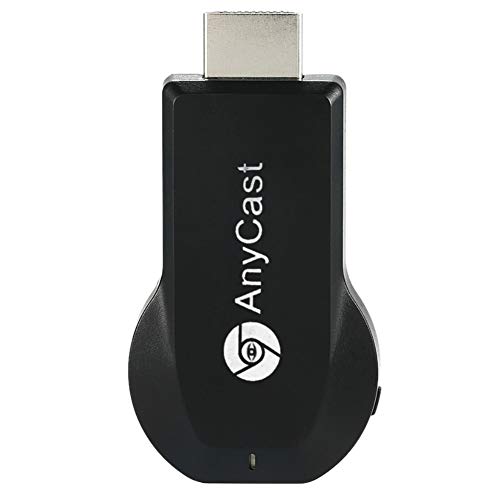
SmartSee Anycast HD Wireless Display Adapter WiFi 1080P Mobile Screen Mirroring Receiver Dongle for iPhone Mac iOS Android to TV Projector Support Miracast Airplay DLNA
Price may vary by location, shipping cost, and availability.
Lowest ever
78% Off
$19.98
$89.99
Highest: $19.98
Average: $19.98
Lowest: $19.98
Price History Graph
Offer Price Prices
Lowest: -
Average: -
Highest: -
Price History Information
You can check the price history of SmartSee Anycast HD Wireless Display Adapter WiFi 1080P Mobile Screen Mirroring Receiver Dongle for iPhone Mac iOS Android to TV Projector Support Miracast Airplay DLNA here. This product's current Price in USA is $19.98. The average and highest prices are $19.98 and $19.98 respectively.
| Lowest Ever Price | $19.98 |
|---|---|
| 25th Jun 2026 | |
| Average Price | $19.98 |
| Based on 24 days price tracking | |
| Highest Price | $19.98 |
| 25th Jun 2026 | |
Current Price in USA
| Price | $19.98 |
|---|---|
| MRP | $89.99 |
| Savings | $70.01 |
| Discount | 77.79% |
Product Information
Details
| Product Name | SmartSee Anycast HD Wireless Display Adapter WiFi 1080P Mobile Screen Mirroring Receiver Dongle for iPhone Mac iOS Android to TV Projector Support Miracast Airplay DLNA |
|---|---|
| Store Product Code | B07QDLNGFZ |
| Store Name | amazon.com |
| Brand | SmartSee |
| Rating | 6.8 / 10 |
| Category | Streaming Media Players |
| Model Name | STCD0073JP |
| Color | Black |
Features
- 1080P Wireless display: SmartSee Wireless display adapter can mirror the screen of phone, tablet, laptop, pc to your TV/projector/monitor wirelessly. Share photos, movies(unencrypted only), files to a big screen easily, up to 1080P resolution. What shows on your phone, tablet, laptop, pc can show up on another big display. Cast a small screen to a large one. Make your TV a smart TV.
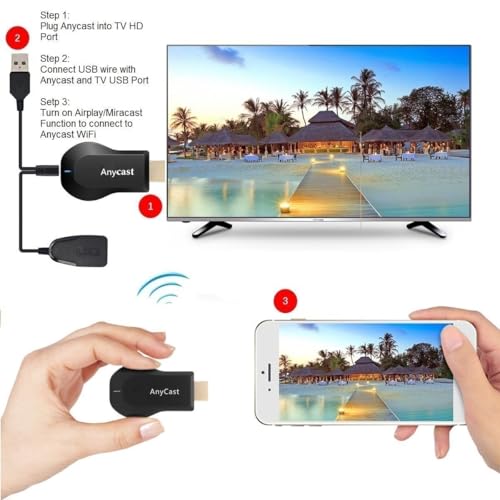
- Easy to use: No App or drivers required. 3 steps to enjoy media on large screen: Plug->Connect->Mirroring: Plug the dongle into the HD port of your TV, projector, or monitor>Power it using the included USB WiFi antenna>Switch your TV to the correct HD channel. The Anycast UI will show up, recognize your IP address and match your local language automatically. > Connect your device with the Anycast dongle. Connection steps differ by systems, follow the User Manual based on your device type.
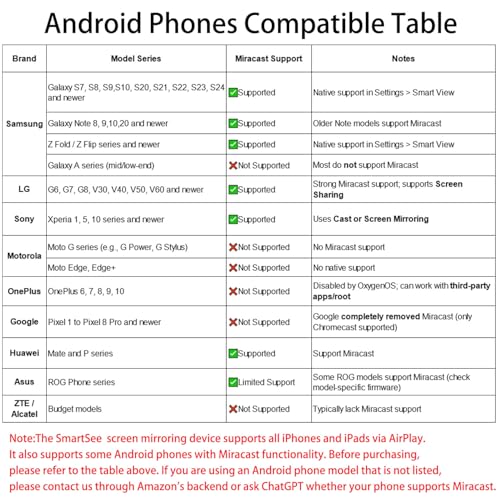
- Compatibility(Multi-Platform Support) and Limitation: Support Macbook series, iOS 9.0+, Android 5.0+, Windows 10 devices through Airplay, Miracast, DLNA. Notes: 1. NOT supports for Google Pixel or Motorola. 2. Android and Windows devices must support Miracast for screen mirroring to work. 3. Not compatible with the encrypted apps, such as Netflix/ Amazon Video/ HBO go/ Hulu Plus sky go/DIRECTV etc.
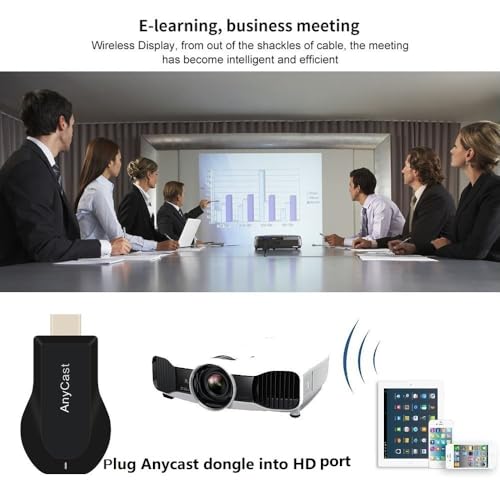
- Wide Usage Scenarios (Professional & Everyday Use): Business & Office-Mirroring screen to projector, share PPT, mail, documents and other content wirelessly. Education & Training-Mirroring screen to big screen, share teaching content, classroom teaching, live demos, and workshops wirelessly. Home Entertainment- Watch with your family at home. Mirroring screen to TV, share photos, movies(unencrypted only) wirelessly. Travel & Mobile Work- Carry it while travelling, share your phone to TV anytime. Retail & Exhibitions-Product demos, promotional files, and catalogs. etc.
- Usage Notes & Practical Tips: Anycast dongle is built-in 2 Modes-AirPlay Mode: For all iOS devices; Miracast Mode: For Android and Windows devices. A built-in mode switch button allows switching between AirPlay Mode (iOS) and Miracast Mode (Android & Windows) to match your device system. Press and hold the button for 3-5 seconds to restart the dongle(resolves most connection issues). Note: Always ensure the display is set to the correct HD input. Detailed connection please check the detailed description below or the User Manual according to your device system.
- Regular OTA Update: This adapter supports automatic OTA (Over-The-Air) firmware updates directly from the cloud. Once connected to WiFi, the dongle upgrades itself to ensure ongoing compatibility with the latest iOS, Android, and Windows versions.
Images
× ![]()



Rating and Reviews
6.8 Based on 2494 reviews
SmartSee Anycast HD Wireless Display Adapter WiFi has 6.8 rating out of 10. This average rating is consist of 2494 individual ratings. You can rate this product at product review page.
* Predictions is created on based of past prices and trends, it does not guarantee that it will happen. These are just prediction for theoretical information only.