
Phomemo Portbale Printers Wireless for Travel, M832 Bluetooth Thermal Printer 8.5'' x 11'', Comaptible with Android & iOS Phone and Laptop, Small Mobile Printer for Office School Home Use
Price may vary by location, shipping cost, and availability.
Price History Information
You can check the price history of Phomemo Portbale Printers Wireless for Travel, M832 Bluetooth Thermal Printer 8.5'' x 11'', Comaptible with Android & iOS Phone and Laptop, Small Mobile Printer for Office School Home Use here.
Product Information
Details
| Product Name | Phomemo Portbale Printers Wireless for Travel, M832 Bluetooth Thermal Printer 8.5'' x 11'', Comaptible with Android & iOS Phone and Laptop, Small Mobile Printer for Office School Home Use |
|---|---|
| Store Product Code | B0GY2VQXWQ |
| Store Name | amazon.com |
| Brand | Phomemo |
| Rating | 8.4 / 10 |
| Category | Portable Thermal Printers |
| Model Name | M832-GY |
| Color | Grey |
| Dimensions | 2.44"D x 10.31"W x 1.26"H |
Features
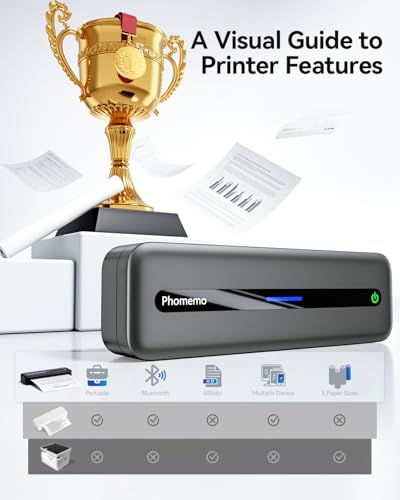
- Multi Purpose - Prints 8.5'' x 11'', A4, 4.33'', 3.14 and 2.08'' wide thermal paper, ideal for business professionals, traveling entrepreneurs, offices, schools, and students use a portable printer as it is compact, economical, and mess-free due to the use of features like thermal printing technology instead of ink cartridge.
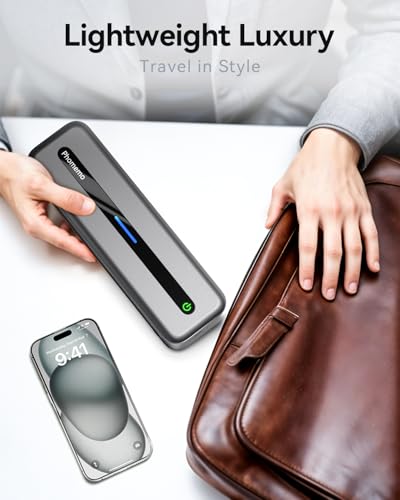
- Wireless & Portable - The portable Bluetooth wireless Phomemo thermal printer offers convenient and fast printing from your Phone or tablet. It built-in 2600 mAh rechargeable battary for long lasting . The compact design allows it to easily carry and work anytime and anywhere.
- Easy to Use - The App "Phomemo"requires no registration and free template, no ink or toner needed, printing documents, reports, forms, letters, assignments, and study materials more economical than the ink costs of inkjet printers.
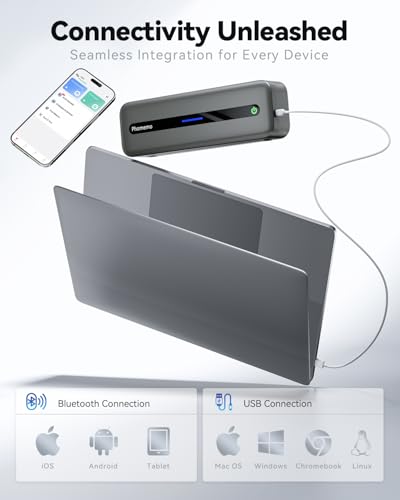
- Phone and Tablet Start Print - Step 1: Download the App 'Phomemo'. Step 2: Turn on the M832 printer and your phone's or tablet's Bluetooth. Step 3: Click the 'Printer' icon in the App to search for the M832 portable printer, connect it via Bluetooth in the App, and select the paper size and file type to start printing
- Laptop/PC Starts Printing - Step 1: Please check your laptop/PC's operating system (OS) and download and install the correct M832 driver from the Phomemo website. Step 2: Use the USB data cable to connect the M832 printer to your computer. Step 3: Select and open your document, and choose M832 from the printer list
Images
× ![]()



Rating and Reviews
8.4 Based on 311 reviews
Phomemo Portbale Printers Wireless for Travel M832 has 8.4 rating out of 10. This average rating is consist of 311 individual ratings. You can rate this product at product review page.
* Predictions is created on based of past prices and trends, it does not guarantee that it will happen. These are just prediction for theoretical information only.