
MacBook Docking Station Dual Monitor, USB C Dock Stand for MacBook Pro with 2X 4K@60Hz HDMI, 100W PD, RJ45, 10Gbps Data, SD /TF, 3.5mm Audio, USB 2.0 for for MacBook Pro /Air M4 /M5 -Black
Price may vary by location, shipping cost, and availability.
Price History Information
You can check the price history of MacBook Docking Station Dual Monitor, USB C Dock Stand for MacBook Pro with 2X 4K@60Hz HDMI, 100W PD, RJ45, 10Gbps Data, SD /TF, 3.5mm Audio, USB 2.0 for for MacBook Pro /Air M4 /M5 -Black here.
Product Information
Details
| Product Name | MacBook Docking Station Dual Monitor, USB C Dock Stand for MacBook Pro with 2X 4K@60Hz HDMI, 100W PD, RJ45, 10Gbps Data, SD /TF, 3.5mm Audio, USB 2.0 for for MacBook Pro /Air M4 /M5 -Black |
|---|---|
| Store Product Code | B0H6PPTN3W |
| Store Name | amazon.com |
| Brand | PULWTOP |
| Rating | 8.6 / 10 |
| Category | Docking Stations |
| Color | Black-macbook pro docking station dual displays |
| Dimensions | 5.4"L x 4.21"W x 3.37"H |
Features
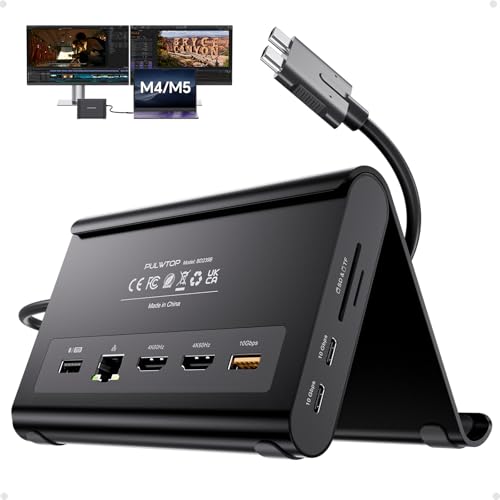
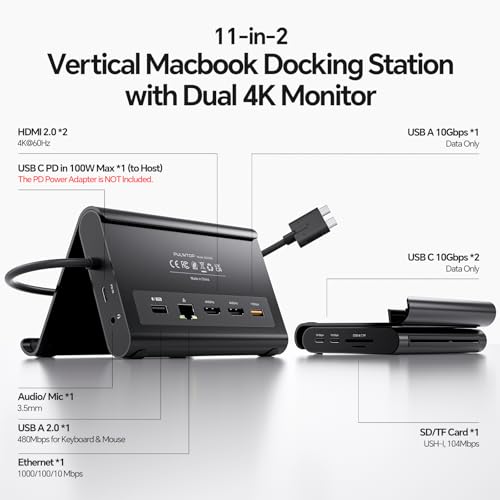
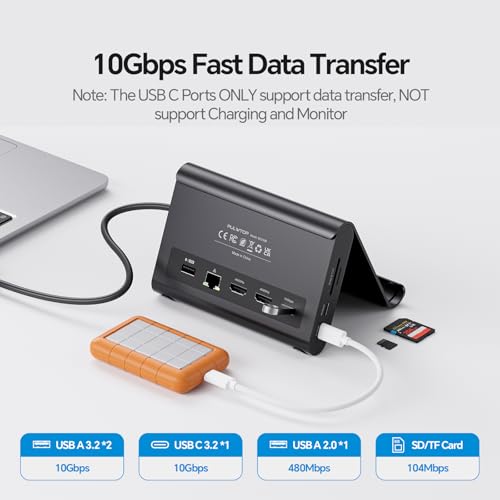
- 2-in-1 Stand & Dock ComboThis MacBook pro docking station functions as both a sturdy stand and a multiport hub lift your laptop, tablet, or phone for better ergonomics and airflow while gaining essential ports: 2 HDMI 4K@60Hz, 2 USBC 10Gbps, 1 USBA 10Gbps, 1 USBA 2.0, SD/TF, 3.5mm audio, and Gigabit Ethernet. Supports 100W PD passthrough (power adapter not included).
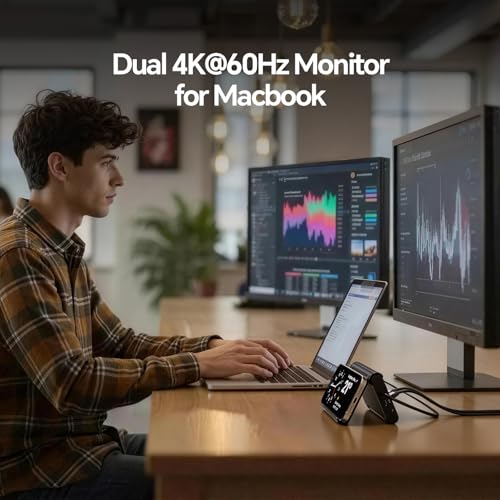
- 4K Dual Monitor for MacBook Docking StationGet a true macbook pro docking station m5 experience with crisp 4K@60Hz output. This MacBook Dock supports dual monitor output up to 2 4K@60Hz displays. Whether watching movies, attending meetings, or multitasking, it handles it all with ease.
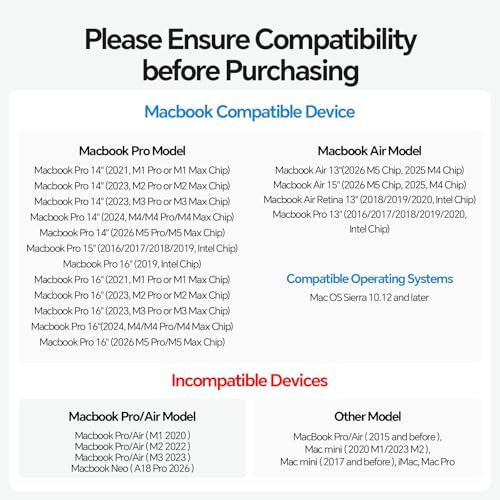
- Exclusive Compatibility for MacBookThis mac docking station dual monitor is designed for MacBook Pro/Air 20162026 (Intel, M1M5 Pro/Max, M4/M5 base chips).DO NOT compatible with M1/M2/M3 MacBook (base chips) for dual display. Not for MacBook Neo A18 Pro, Windows or Chrome.
- High-Speed Data Transfer, 100W PD & Gigabit EthernetThis macbook dock offers 2 10Gbps USB-C ports, 1 10Gbps USB-A port, plus 1x USB-A 2.0 port for lag-free mouse/keyboard. Charge via 100W Power Delivery (adapter required) and enjoy stable wired Gigabit Ethernet. A true macbook pro dock for power users who need speed, reliability, and all-in-one connectivity.
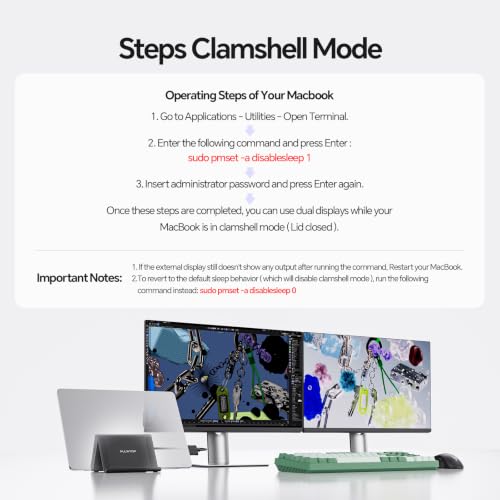
- Steps of Clamshell Mode Go to Macbook' Applications Utilities and open Terminal. Enter the command: sudo pmset -a disablesleep 1 and press Enter Insert administrator password and press Enter again.-you can use dual displays while your MacBook is in clamshell mode (lid closed). Important Notes: If the external display still doesn't show any output after running the command, restart your MacBook. To revert to the default sleep behavior (which will disable clamshell mode), run the command instead: sudo pmset -a disablesleep 0
Images
× ![]()

Rating and Reviews
8.6 Based on 22 reviews
MacBook Docking Station Dual Monitor USB C has 8.6 rating out of 10. This average rating is consist of 22 individual ratings. You can rate this product at product review page.
* Predictions is created on based of past prices and trends, it does not guarantee that it will happen. These are just prediction for theoretical information only.