
FLYDrone S8 Pro FPV Simulator Controller for Windows PC, USB-C Drone Flight Simulator Joystick, 8-Channel Mode 2 RC Training Remote with Non-Centering Throttle for Liftoff /DRL /Uncrashed, Grey (Grey)
Price may vary by location, shipping cost, and availability.
Price History Information
You can check the price history of FLYDrone S8 Pro FPV Simulator Controller for Windows PC, USB-C Drone Flight Simulator Joystick, 8-Channel Mode 2 RC Training Remote with Non-Centering Throttle for Liftoff /DRL /Uncrashed, Grey (Grey) here.
Product Information
Details
| Product Name | FLYDrone S8 Pro FPV Simulator Controller for Windows PC, USB-C Drone Flight Simulator Joystick, 8-Channel Mode 2 RC Training Remote with Non-Centering Throttle for Liftoff /DRL /Uncrashed, Grey (Grey) |
|---|---|
| Store Product Code | B0H4V4SYWG |
| Store Name | amazon.com |
| Brand | FLYDrone |
| Rating | 7.6 / 10 |
| Category | Controllers |
| Model Name | S8 Pro |
Features
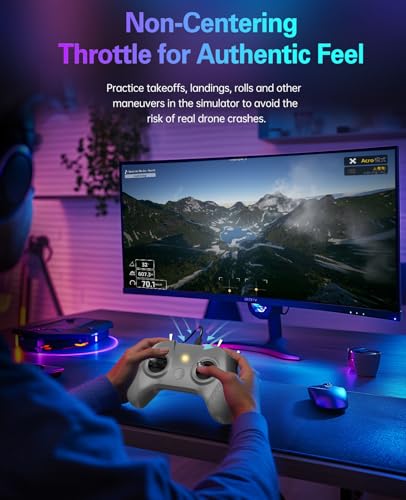
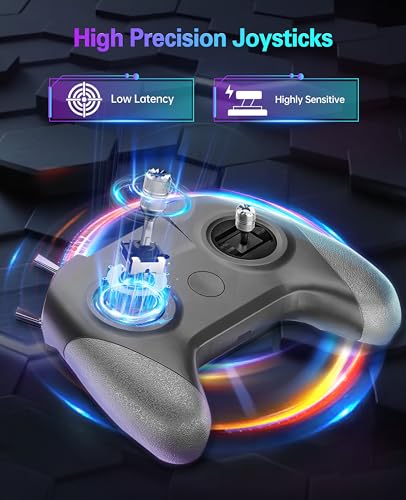
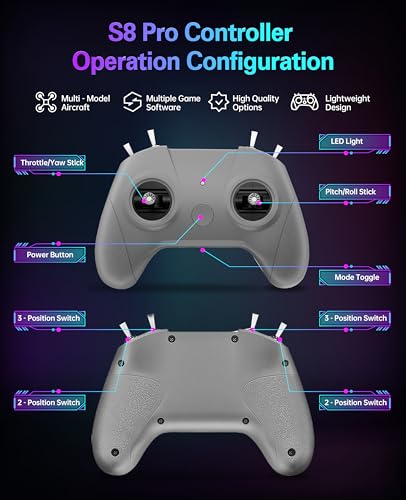
- Real FPV Training FeelThe FLYDrone S8 Pro simulator controller is designed for beginner FPV pilots who want to practice before flying a real drone. The Mode 2 layout and non-centering throttle help build throttle control, stick coordination, and real FPV muscle memory in simulator training
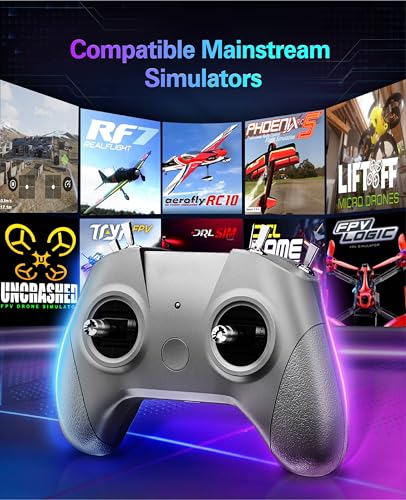
- Works with Popular FPV & RC SimulatorsCompatible with popular simulator software such as Liftoff, DRL, DCL, Uncrashed, VelociDrone, TRYP FPV, RealFlight Evolution, Aerofly RC 10, Phoenix RC, FPV Logic, and more. Ideal for racing, freestyle, hover practice, and beginner flight training
- USB-C Plug & Play for PC TrainingConnect the S8 Pro to your computer with the included USB Type-C cable and start practicing without batteries, charging, or wireless pairing. The wired USB connection provides stable control for desktop and laptop simulator training
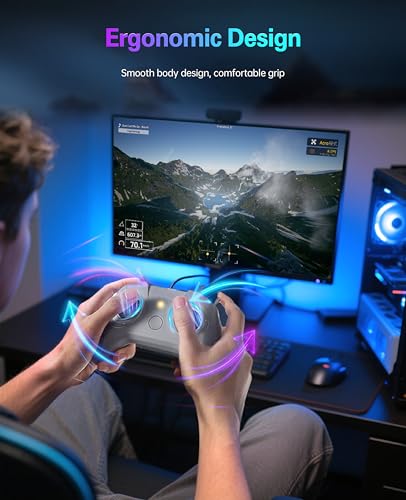
- Comfortable for Long Practice SessionsThe compact body, anti-slip grip texture, and lightweight 160g design make the controller easy to hold for longer simulator sessions. Suitable for teens, adults, FPV beginners, drone training classes, and hobby pilots
- Calibration StepsBriefly press the central function button - release - press and hold the button for 3 seconds (the blue indicator light will blink rapidly to enter calibration mode).Push the throttle stick to its maximum and minimum travel positions and hold, keep all other joysticks centered - wait for the indicator light to stay solid (calibration completed).If calibration fails, restart the process or reboot the controller and try again
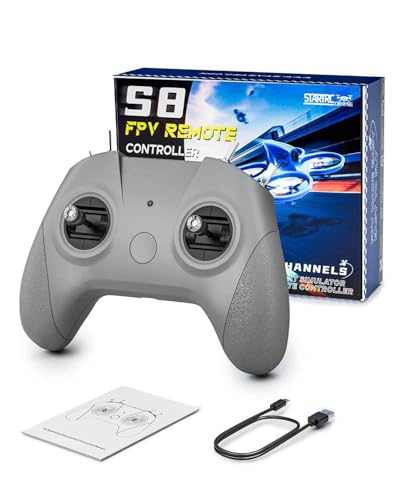
- Simulator Use OnlyThe S8 Pro is made for flight simulator training and does not control real drones. Package includes 1 S8 Pro Drone Simulator Controller, 1 USB Type-C cable, and 1 manual with setup guidance for multiple simulator programs
Images
× ![]()

Rating and Reviews
7.6 Based on 49 reviews
FLYDrone S8 Pro FPV Simulator Controller for has 7.6 rating out of 10. This average rating is consist of 49 individual ratings. You can rate this product at product review page.
* Predictions is created on based of past prices and trends, it does not guarantee that it will happen. These are just prediction for theoretical information only.